Heavy Guitars. Less Guesswork.

MetalGuitarEQ gives you focused, ear-led controls for rumble, mud, honk, harshness, fizz, and palm-mute bloom—so amp-sim guitars sit in the mix faster without another long EQ session.

€39.99 including applicable taxes. One-time purchase. No subscription.Windows 11 X64 + macOS · VST3 · Compatible with VST3 DAWs · Version 1.0.0Perpetual license · 3 devices · One-time online activation
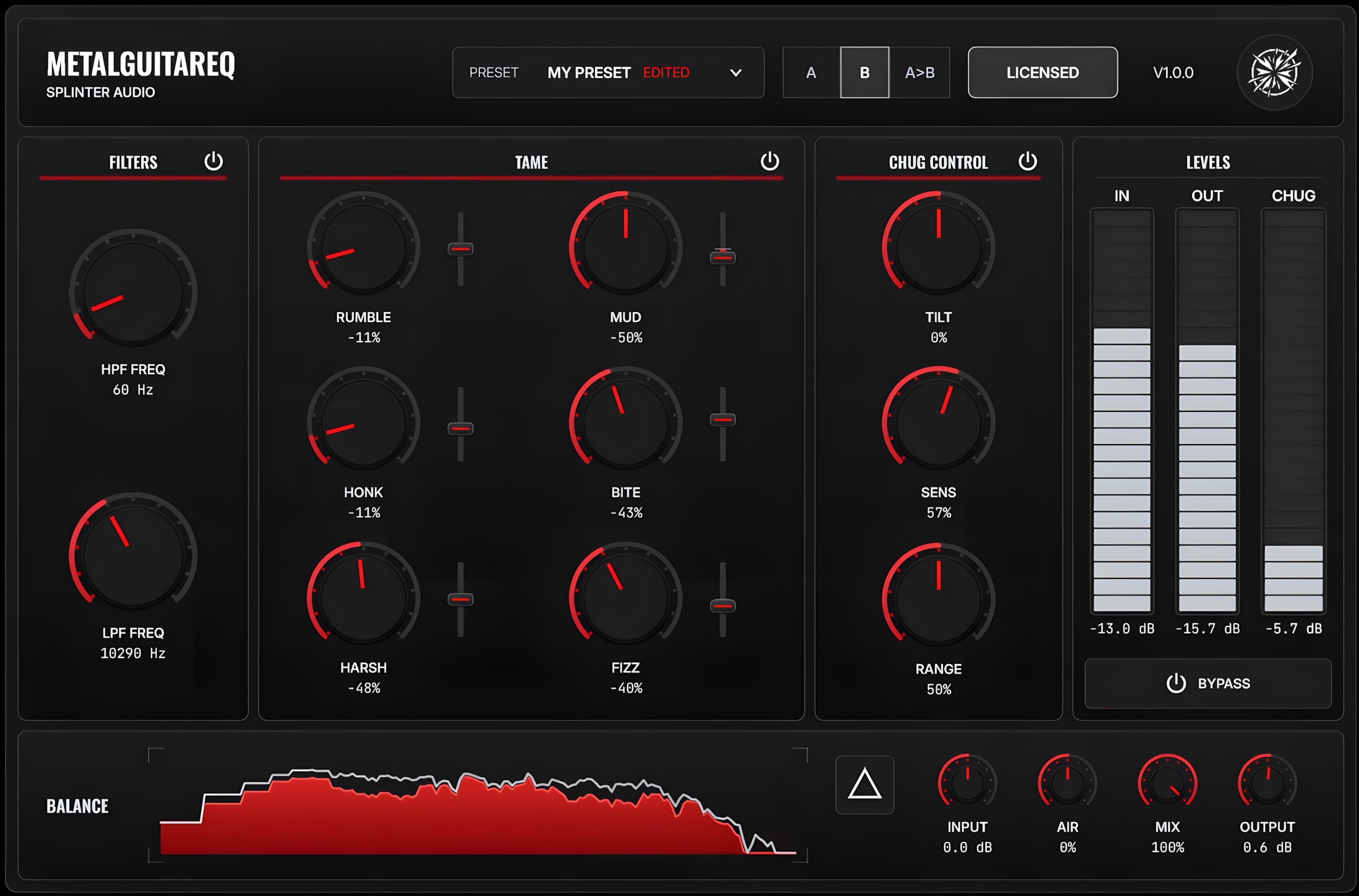
MetalGuitarEQ full plugin interface

Hear the Cleanup, Not a Different Rig.

These comparisons use the same source tones with MetalGuitarEQ switched in and out. Listen for tighter palm mutes, less low-end bloom, controlled fizz, and guitars that move forward without losing their weight.

Tighten Low EndControl FizzClear MudMix Placement

Use headphones or studio monitors and switch between Plugin Off and Plugin On while the audio plays.

Negaatio — Inertia

The guitar tone is already close, but the palm mutes carry too much low-end bloom and the top end competes with the mix. MetalGuitarEQ tightens the chugs and smooths the fizz while keeping the same rig and performance.

“Inertia” by Negaatio. Mixed and mastered by Pauli Mänty from Splinter Audio.

Full mix

Switch the plugin in and out while the guitars sit against the drums, bass, and the rest of the production.

0:000:00

Guitars soloed

Hear the low-end control and fizz shaping without masking from the rest of the mix.

0:000:00

Demo song

This printed guitar tone begins muddy, flubby, and difficult to place. MetalGuitarEQ tightens the low end, reduces the boxiness, and helps the tone cut through the mix without changing the source performance.

Full mix

Hear how a printed muddy guitar tone can be tightened into a more aggressive sound that cuts through the mix.

0:000:00

Guitars soloed

Hear the printed guitar tone without the mix, so the low-end tightening and reduced boxiness are easier to spot.

0:000:00

Make the Decision by Ear.

Heavy guitars often need attention in the same broad areas, but every player, tuning, amp sim, cab, IR, and arrangement changes what the mix needs. MetalGuitarEQ intentionally avoids exact frequency and dB readouts on its main tone-shaping controls. Identify the problem, adjust until it stops getting in the way, and keep moving.

  • Focused controls for recurring metal-guitar problems
  • Ear-led tone shaping without exact readouts on the main cleanup controls
  • Chug Control for dynamic palm-mute bloom
  • Built for amp-sim and cab or IR workflows
  • 14-day fully functional trial
Full MetalGuitarEQ plugin interface

MetalGuitarEQ

Fewer numbers to chase. Fewer tiny decisions to second-guess. More attention on what the guitars are doing in the mix.

See the Controls

Focused Controls for Familiar Guitar Problems.

MetalGuitarEQ follows the order many guitar-cleanup decisions already take: define the useful bandwidth, reduce recurring problem areas, control palm-mute bloom, and finish the level and placement.

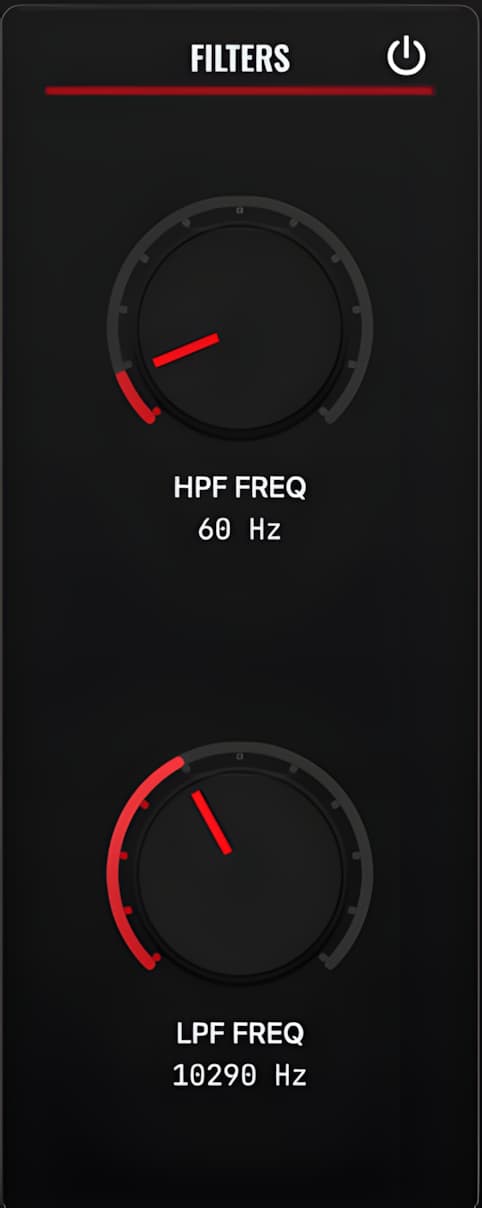
MetalGuitarEQ filters section

Set the guitar bandwidth

Use the high-pass and low-pass filters to remove low rumble and high-frequency hiss that do not help the guitar in the mix.

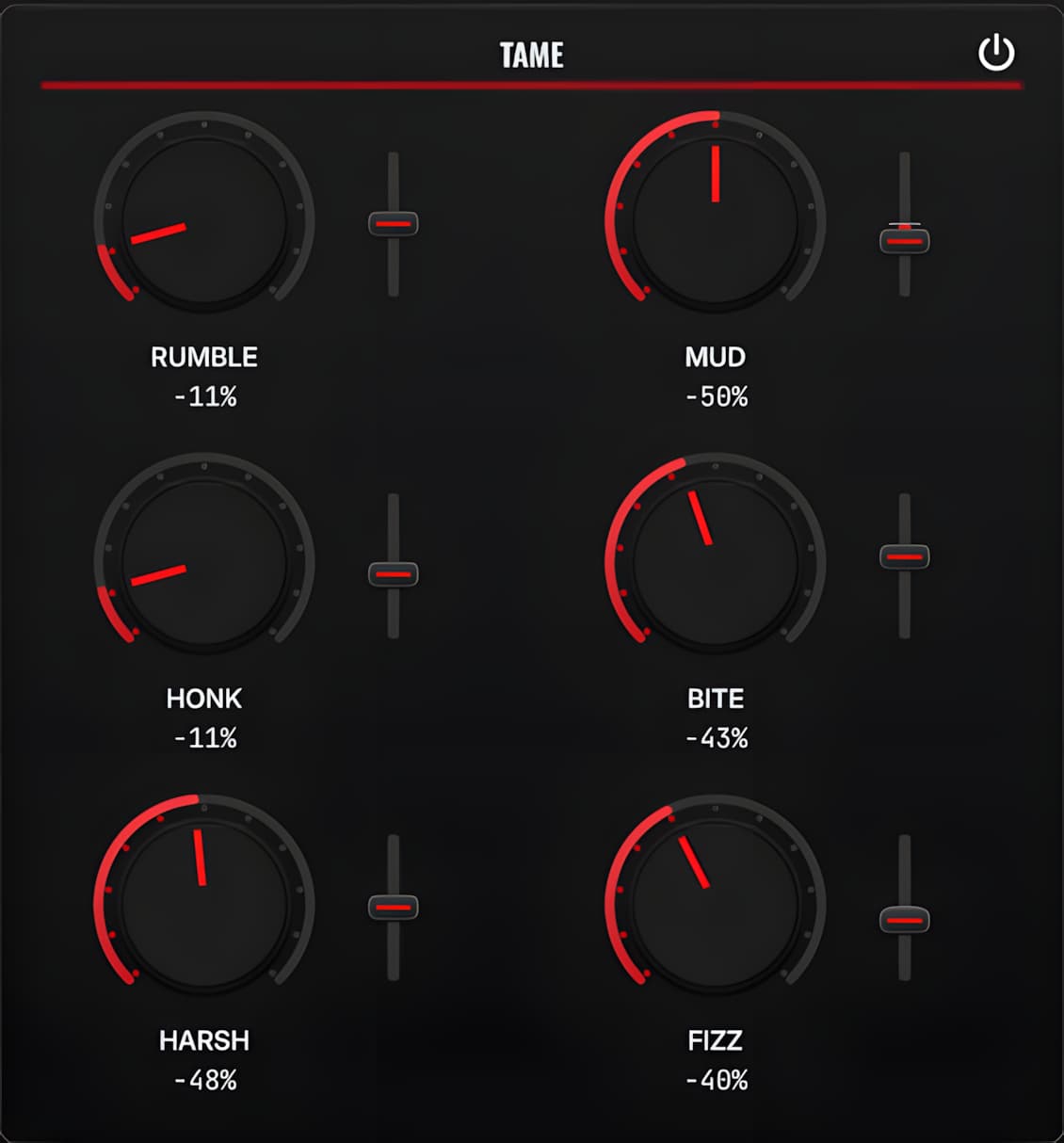
MetalGuitarEQ tame section

Reduce recurring problem areas

Rumble, mud, honk, bite, harshness, and fizz each have a focused reduction control. Tilt lets you shift the focus when the starting point is close but not quite right.

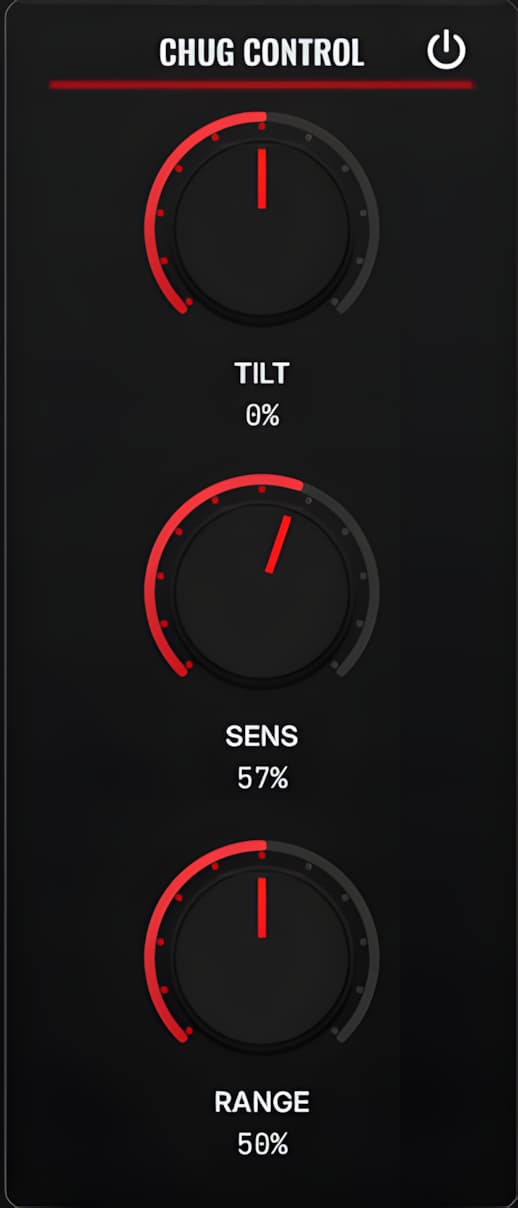
MetalGuitarEQ chug control section

Control palm-mute bloom

Chug Control responds to low-mid buildup in palm mutes, keeping the weight of the riff while reducing the bloom that crowds the kick and bass.

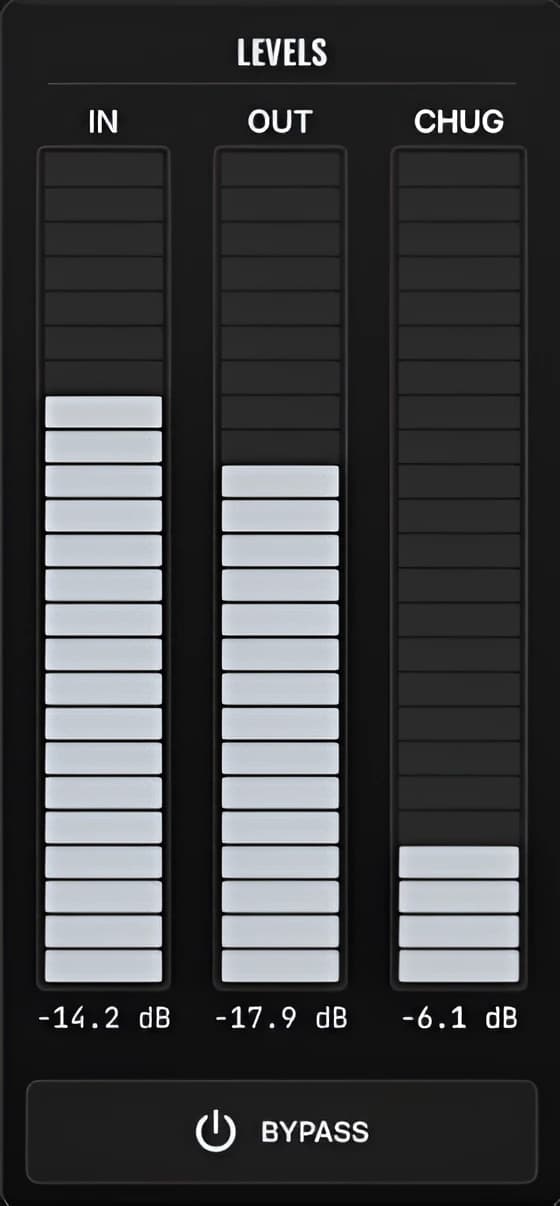
MetalGuitarEQ levels section

Monitor the result

Input, output, and Chug reduction meters show how the signal is moving. Presets, A/B comparison, and bypass make decisions easier to compare.

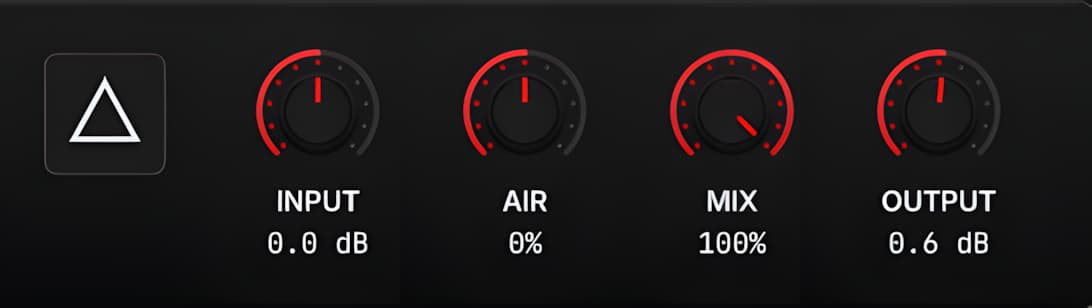
MetalGuitarEQ balance section

Finish and level-match

Use Air, Mix, Input, and Output to finish the balance, compare fairly, and place MetalGuitarEQ inside the rest of your chain.

Put It After Your Amp and Cab.

Start with the amp sim and cab or IR as close as possible to the sound you want. Place MetalGuitarEQ after that processing, then handle the recurring cleanup moves before adding more plugins.

Guitar Amp Sim Cab or IR MetalGuitarEQ Guitar Bus or Mix

MetalGuitarEQ is designed for processed electric-guitar tones. It is not an amp simulator, cab loader, or universal replacement for a general-purpose EQ.

Try Every Feature for 14 Days.

Download the same signed installer used by licensed customers and try the complete plugin. After the trial expires, MetalGuitarEQ stops applying processing until a license is activated. Your source audio continues through the DAW.

Buy Once. Keep the License.

€39.99 including applicable taxes. One-time purchase. No subscription.

  • 3 activations for up to 3 devices
  • License delivered by email through Lemon Squeezy
  • Copy and paste the license key into the plugin
  • Internet required once for activation
  • Normal use works offline after activation
  • Lifetime updates, if updates are released

Compatibility

MetalGuitarEQ 1.0.0 is a VST3 plugin for Windows 11 X64 and macOS 10.13 or later. Apple Silicon requires macOS 11 or later. Compatible with DAWs that support VST3.

REAPER is the internally verified release host. Not every DAW and host configuration has been individually tested.

Compatibility

Operating system
Windows 11 X64; macOS 10.13+ (Apple Silicon requires macOS 11+)
macOS architecture
Universal 2: Intel x86_64 and Apple Silicon arm64
macOS security
Apple-notarized; Gatekeeper accepted
Plugin format
VST3
DAW compatibility
DAWs that support VST3
Version and installer
1.0.0 · Signed Windows .exe and signed, Apple-notarized macOS .pkg

Trial and license

14-day free trial
Try every feature for 14 days with the same installer used by licensed customers.
Trial end
After the trial expires, MetalGuitarEQ stops applying processing until a valid license is activated. It does not mute the source audio.
License
Perpetual license with 3 device activations. Internet is required once for activation; normal use works offline afterward.

Download MetalGuitarEQ

Choose your platform and start the fully functional 14-day trial. Licensed customers use these same installers.

Windows

Windows 11 X64 · VST3

Download for Windows

Signed installer · Pineware Oy

macOS

macOS 10.13+ · Universal 2 · Apple Silicon requires macOS 11+

Download for macOS

Signed and Apple-notarized · Gatekeeper accepted

Frequently Asked Questions

Straight answers about the workflow, trial, license, compatibility, and purchase.

Finish the Guitar. Keep the Mix Moving.

Try the full MetalGuitarEQ workflow for 14 days, or buy a perpetual license for €39.99 including applicable taxes.

Windows 11 X64 + macOS · Compatible with VST3 DAWs · 3 Device Activations · No Subscription